How to Migrate Emails from IMAP to IceWarp? Guide 2026
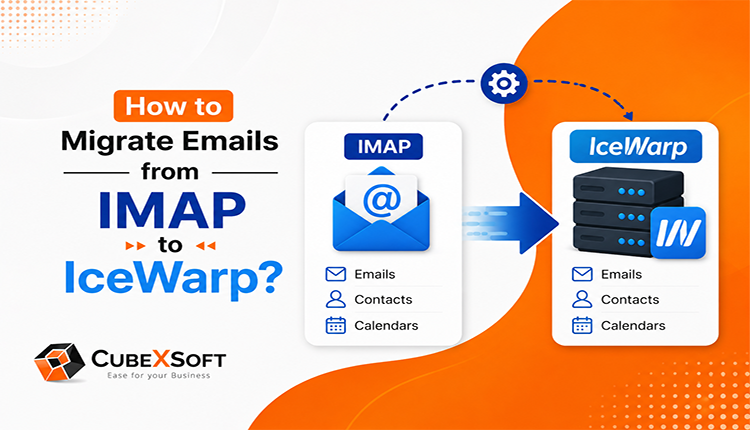
Want to move your emails from an IMAP server to IceWarp but worried about losing important emails and attachments? Looking for a simple way to migrate emails from IMAP to IceWarp? You are at the right place. In this write-up, we will explain how to migrate IMAP emails to IceWarp and transfer IMAP emails to IceWarp easily. We will also cover a reliable approach for IMAP to IceWarp Migration so you can move your mailbox data to IceWarp without any hassle.
IMAP & IceWarp Email Services
IMAP is a widely used email protocol that allows users to access and manage emails directly from an email server. It keeps mailbox data stored on the server, making it easy to access emails from different devices and email applications.
IceWarp is a complete business email and collaboration platform that provides email hosting along with features for managing business communication. It can be a suitable choice for organizations looking to move their existing mailbox data to a new email environment.
However, when switching from an existing IMAP-based email service to IceWarp, users need to migrate their important emails and attachments carefully. A proper IMAP to IceWarp Migration method can help users transfer IMAP emails to IceWarp while keeping their mailbox data accessible.
Why Migrate IMAP Emails to IceWarp?
Users may choose to move their existing mailbox data to IceWarp for better email management, collaboration, and business communication. If your current email service is based on IMAP, you can migrate IMAP to IceWarp to move important mailbox data to the new platform.
Some common reasons for IMAP migration to IceWarp include:
- Need for a more organized business email environment.
- Want to move email accounts to a centralized platform.
- Looking for better email management and collaboration features.
- Need to move existing emails and attachments to a new IceWarp mailbox.
- Switching from an existing email hosting provider to IceWarp.
- Want to keep important mailbox data accessible after changing the email service.
- Moving multiple IMAP mailbox to IceWarp accounts as part of an organization-wide email migration.
How to Migrate Emails from IMAP to IceWarp?
The simple way to migrate IMAP emails to IceWarp is to use the CubexSoft IMAP Backup Tool. It provides an easy-to-use interface that allows both technical and novice users to manage the migration procedure without requiring advanced technical knowledge.



With this tool, users can connect their IMAP account as the source and select IceWarp as the destination to transfer IMAP emails to IceWarp. The software supports the migration of emails and attachments while providing multiple options to manage the migration according to user requirements.
The tool also offers a free trial version, allowing users to test the IMAP to IceWarp backup process before purchasing the full version.
Steps to Migrate IMAP Email Server to IceWarp
- Download and launch the IMAP Email Server to IceWarp Migration Tool on your Windows PC.
- Enter your IMAP account login details, including the IMAP Host Name and Port Number, and click the Login button.
- The tool will connect to the selected IMAP account and display all available mailbox folders and emails in a hierarchical structure.
- From the Select Saving Options, choose the IceWarp option as the destination for migrating your IMAP mailbox data.
- Enter the required IceWarp login credentials and server details. Apply the available options and filters if you want to migrate specific folders or emails.
- After selecting the required settings, click the Backup button to start the IMAP to IceWarp Migration process.
- The software will begin transferring the selected IMAP emails to IceWarp and display the live migration progress on the screen.
- Once the process is completed, the tool will display the “Conversion completed successfully” message.
Why Choose CubexSoft IMAP Email to IceWarp Tool for IMAP to IceWarp Migration?
The IMAP Backup Software is a reliable solution for users who want to migrate IMAP emails to IceWarp in a simple and organized way. It provides multiple useful features that make the IMAP to IceWarp backup process easier for both technical and non-technical users.
Some key features include:
- Directly transfer IMAP emails to IceWarp along with attachments.
- Provides advanced filters to migrate emails based on date range, email address, subject, and other criteria.
- Supports multiple saving and migration options, including EML, HTML, PST, ZIP, PDF, MSG, CSV, Gmail, Hosted Exchnage Server, RediffMail, Office 365, Thunderbird, and more.
- Keeps the original email content, folder structure, and formatting intact during the migration process.
- Allows users to migrate multiple IMAP folders and emails in a single process.
- Offers a simple and user-friendly interface for easy operation.
- Displays a live progress report during the migration process.
- Provides information such as the number of emails processed, migration status, and remaining items.
- Helps users migrate emails from IMAP server to IceWarp without manually transferring individual messages.
Quick Note: Users can download the trial version of the IMAP Email Backup Tool to explore its features and test the IMAP migration to IceWarp process before purchasing the full version.
Conclusion
This blog explains a simple and effective way to migrate IMAP emails to IceWarp without any complicated manual process. Using the IMAP Backup Solution, users can transfer IMAP emails to IceWarp along with attachments while maintaining the original mailbox data. The tool also offers a trial version, allowing users to test its features and migration process before purchasing the full version.
IMAP to IceWarp Migration FAQs
Q1. Can I migrate emails from any IMAP server to IceWarp?
Yes, if the mailbox supports standard IMAP access, you can migrate emails from IMAP server to IceWarp using the appropriate login and server details.
Q2. Will my IMAP folder structure be preserved in IceWarp?
Yes, the migration can retain the selected IMAP mailbox to IceWarp folder structure, making the migrated data easier to organize.
Q3. Can I migrate only selected IMAP emails to IceWarp?
Yes, you can use available filters to transfer IMAP emails to IceWarp based on your migration requirements.
Q4. Is it possible to export IMAP emails to IceWarp without manual forwarding?
Yes, an ideal expert tool can perform IMAP Server to IceWarp Migration directly, eliminating the need to forward emails individually.
