How Do I Convert OST to TXT? Using OST to TXT Tool
Introduction
Searching for a reliable OST to TXT Conversion tool to resolve how do I convert OST to TXT? Then this is the precise blog for you. TXT is a plain-text format that can simply be opened on any computer without requiring specialized email software. And the conversion from OST to TXT can be helpful when users want to extract email content, archive readable information, perform basic text analysis, or make mailbox data easier to access.
Benefits of Converting OST to TXT
There are several reasons users want to convert OST files to TXT format. Some of them are given below:
- TXT files are lightweight and easy to open. Unlike OST files, which are primarily associated with Outlook, TXT files can be viewed using common text editors.
- Creating a simple text-based archive of email information.
- Accessing email content without Outlook.
- Extracting readable information from an OST file.
- Sharing email text with users who do not have Outlook.
- Performing basic text analysis.
- Keeping a lightweight copy of important email content.
Convert Outlook OST to TXT with an Impeccable OST to TXT Converter
CubexSoft OST Converter – It is a specialized software designed to convert data stored in Microsoft Outlook OST files into plain-text TXT format. The tool reduces manual effort by converting a single OST file at a time. This software automates the complete conversion process. It enables converting multiple OST files into TXT files in a single operation. The software is particularly useful when the user needs to work with OST data independently of Outlook.
OST to TXT Tool can also be useful for users dealing with large OST files. Manually copying thousands of emails is time-consuming and increases the possibility of missing or incorrectly transferring information. Automated conversion simplifies the process by handling the extraction in a structured way. It keeps all OST data intact in the resultants TXT files. The tool is compatible with Windows and Mac Operating Systems. The demo edition enables the conversion of 25 emails from OST to TXT files at no cost. Now let’s move ahead and learn how the tool actually works.
How Do I Convert OST to TXT? – Follow a Few Steps
Step1: Install and Launch the Software
Download and install OST to TXT Converter on your computer.



Step 2: Add the OST File
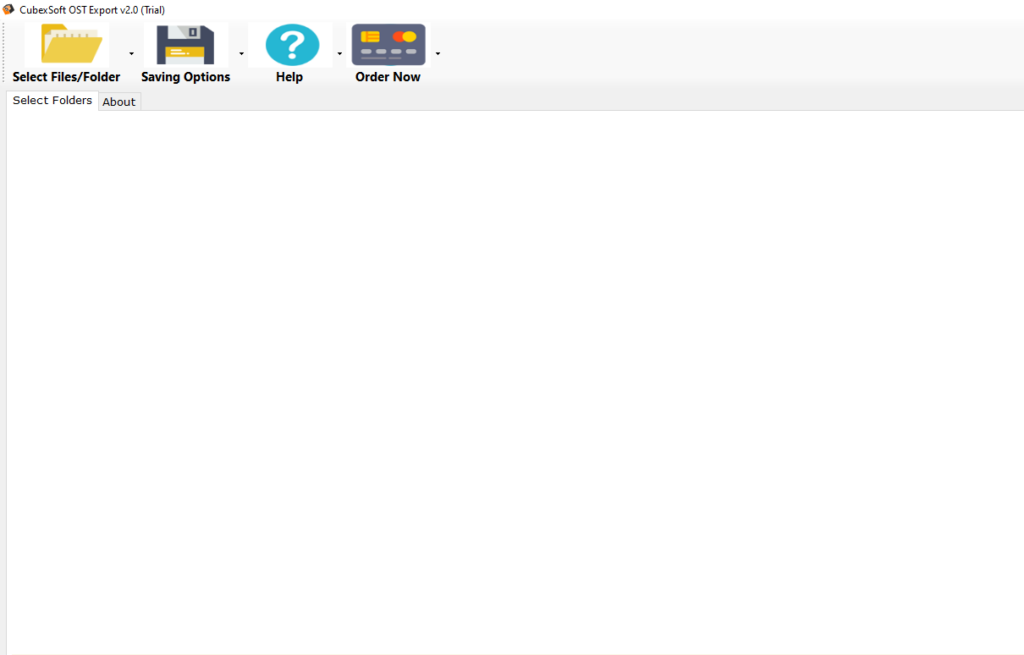
Use the software’s Select Files and Select Folder option to upload the required OST file and add it to the application.
Step 3: Preview OST Data
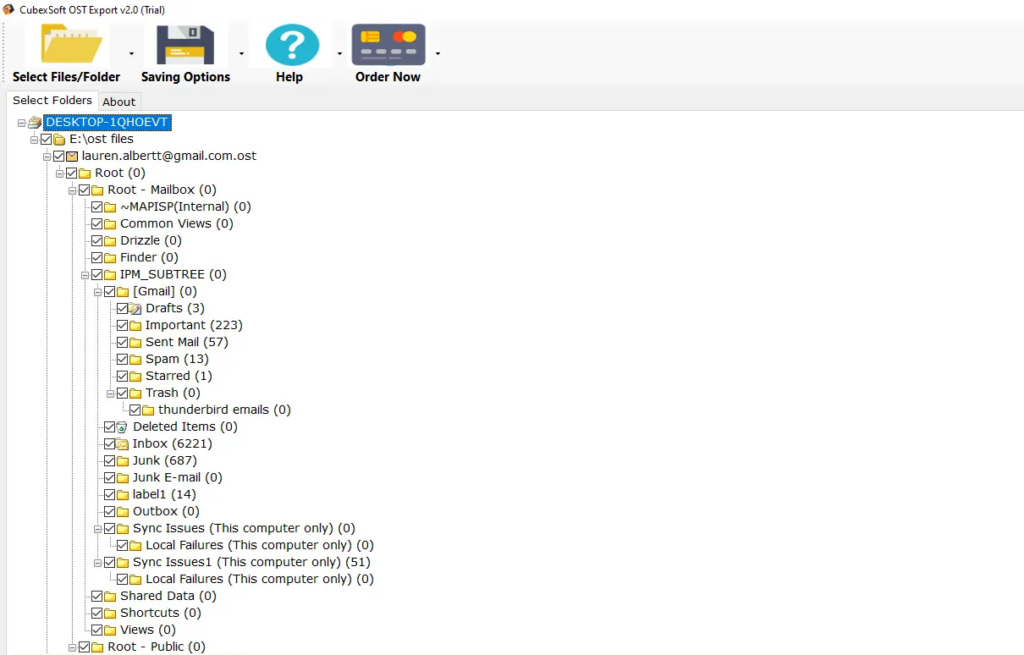
Once the OST file is loaded, the software enables users to preview the information of the selected OST file before the conversion.
Step 4: Choose TXT Format
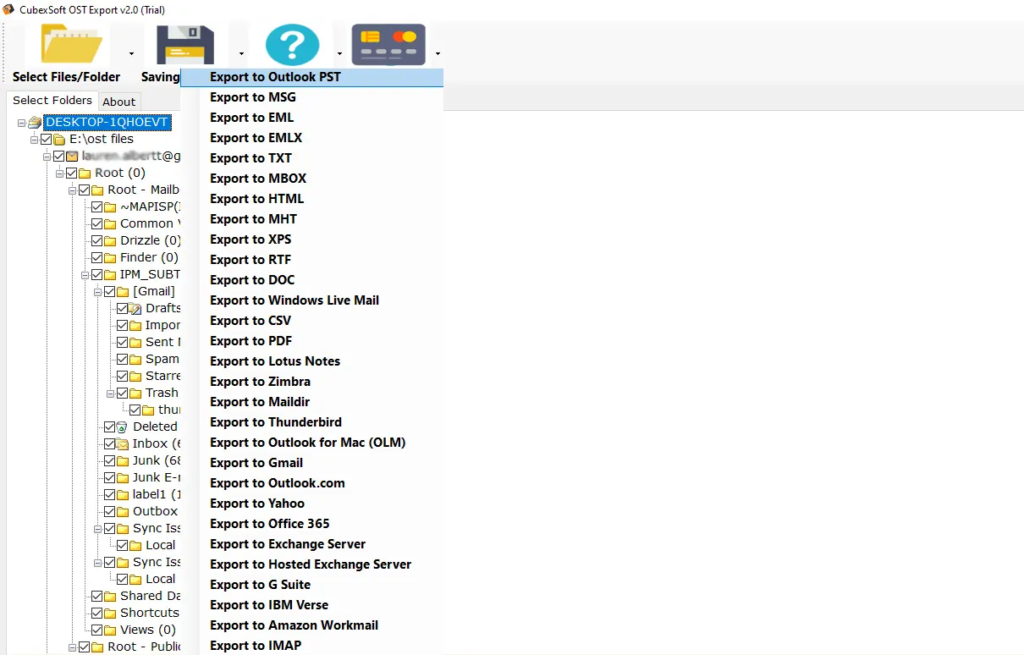
Select TXT from the available export formats. Specify the destination folder where the converted files should be saved.
Step 5: Start the Conversion
Click the Convert option in order to begin processing.
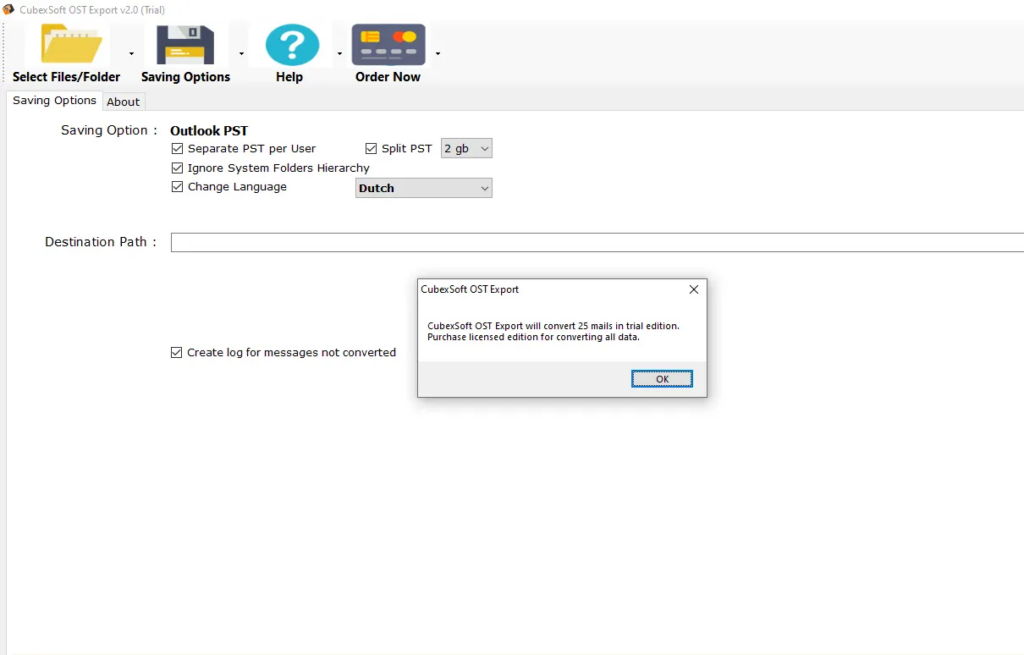
Key Features of OST to TXT Converter
There are several advanced features and advantages of the software, let’s discuss them in detail below:
Simple User Interface: The straightforward interface allows users to add OST files, select mailbox data, choose TXT as the output format, and start the conversion without complicated technical steps.
Email Preview: The preview feature of the software lets users inspect email content before conversion.
Selective Conversion: The tool allows users to select individual folders or emails instead of processing the entire OST file. This is useful when only specific mailbox information is required for the conversion.
Batch Processing: Batch conversion feature of the app is useful for users handling multiple files or large quantities of data, batch conversion can save time by converting multiple OST files or selected data into TXT files in one operation.
Maintains Email Information: OST to TXT Tool keeps OST files’ information intact including important email details such as sender, recipient, subject, date, and message content.
No Manual Copying: Automated conversion eliminates the need to open each email individually and copy its content into a text document.
Read more
Frequently Asked Questions
Can I convert OST to TXT without Outlook?
Answer: Yes, for sure, the tool allows you to process and convert OST file without any need to open and use Microsoft Outlook email client.
Can I convert only selected OST emails?
Answer: The tool enables to proceed with selective conversion. Users can choose particular folders or email items rather than exporting the entire OST file.
Does OST to TXT conversion delete the original OST file’ information?
Answer: No, the tool keeps all the information of the OST files intact in the output TXT files. Hence, the users can convert OST to TXT in batch without any data loss with this application.
Is it safe to convert an OST file?
Answer: No, the tool keeps all the information of the OST files intact in the output TXT files. Hence, Yes, if you opt for the suggested software. It is the safest approach to convert Outlook OST to Text files.
Wrap Up
With the suggested OST to TXT Tool, it is so easy to convert OST to TXT file format that anyone can do it with ease. As we know, manually extracting information from a large OST file can be inconvenient and time-consuming. The OST to TXT Document Converter simplifies and automates this process. Features of the app, such as selective conversion, email preview, batch processing, and straightforward operation, can make the overall process more convenient. With this right approach, the process of the OST to Text conversion can be completed in a few straightforward steps without requiring complicated manual extraction. Users can obtain this application on Windows and Mac Operating Systems. It also comes with a free demo edition that makes it possible to convert 25 OST files to TXT files without any charges.
